
Download Hitonic FTPSync – FTP Client, File Management, Web Upload Tool
Overview
Hitonic FTPSync is a mobile FTP client engineered for efficient web file management on smartphones and tablets. Designed to bridge the gap between local storage and remote servers, the app enables users to view both local and remote file systems side-by-side, streamlining the process of website maintenance and content updates. This dual-view functionality is particularly useful for developers, webmasters, and digital content creators who need to manage files on remote servers while working on the go. The application addresses common pain points in remote file handling, such as manual synchronization errors, unclear change tracking, and time-consuming upload processes.
Target users include web developers, small business owners managing websites, and technical users who require a reliable mobile tool for server access. The app supports real-world use cases such as updating website content, deploying code changes, backing up local files to a server, and troubleshooting live site issues from remote locations. Although the developer did not provide additional technical details, the app’s consistent functionality since its release in 2016 suggests a stable and mature product within the mobile productivity ecosystem. Its presence underscores the growing demand for lightweight, efficient tools that extend desktop-level capabilities to mobile platforms.
Key Features & Functionality
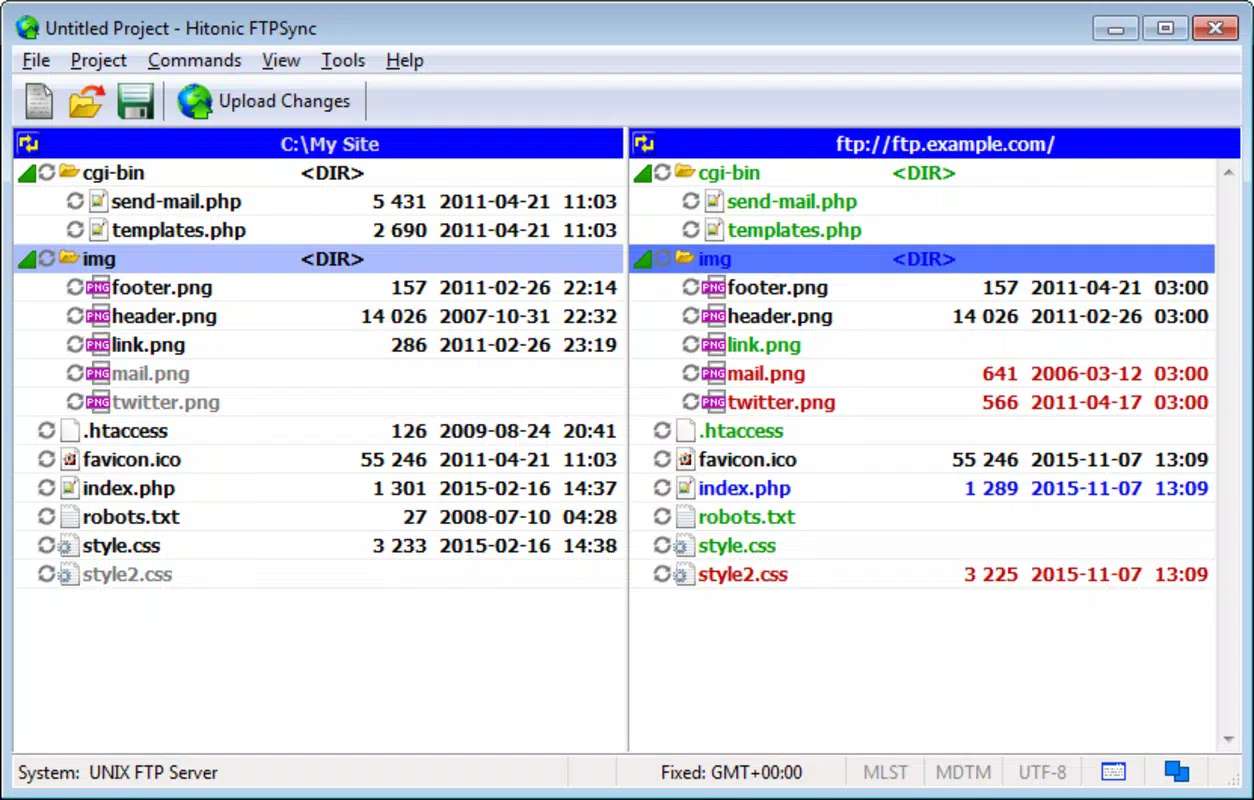
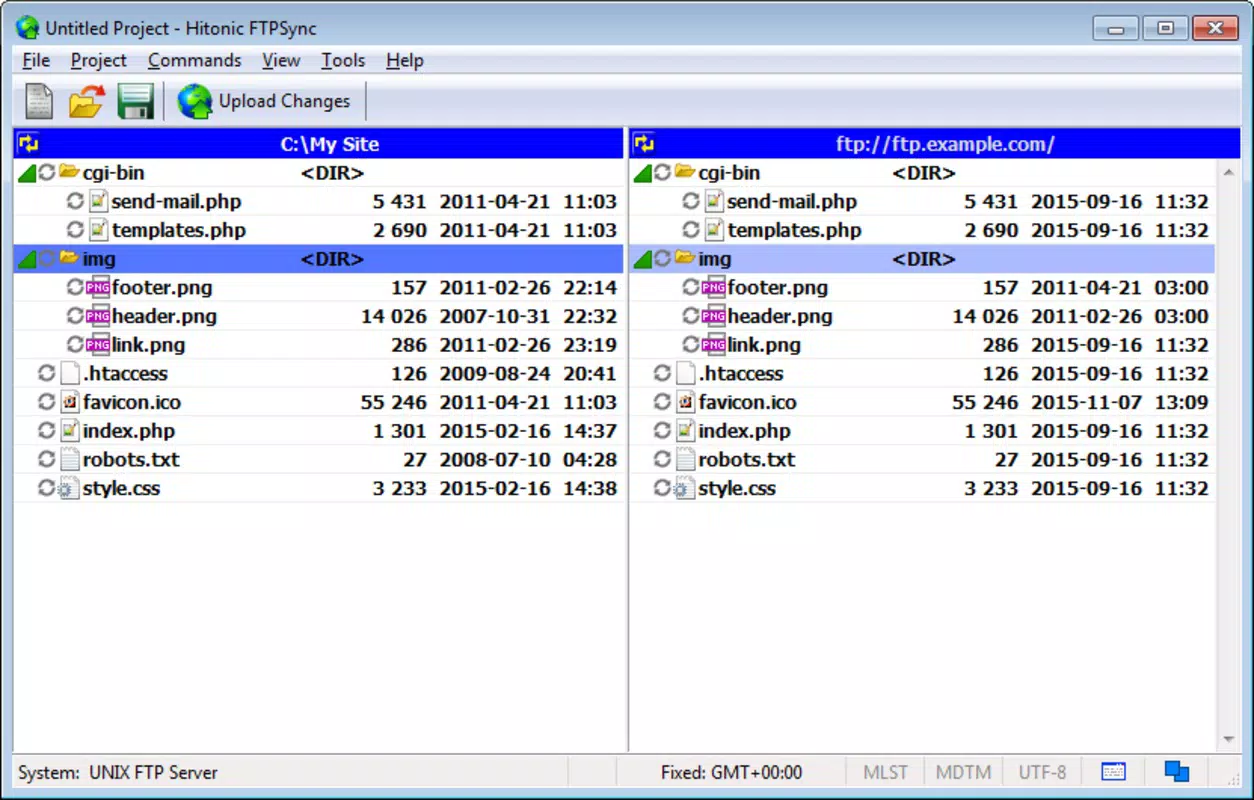
- Dual File Viewing: The app displays local file storage and remote FTP server directories simultaneously, allowing users to compare content in real time. This feature is ideal for identifying discrepancies between local edits and server versions, reducing the risk of outdated or missing files.
- Color-Coded File System: A visual tracking system uses distinct colors to indicate file status: black for unchanged files, grey for existing files, green for new additions, red for deletions, and blue for modifications. This intuitive color scheme enables rapid assessment of changes without manual comparison.
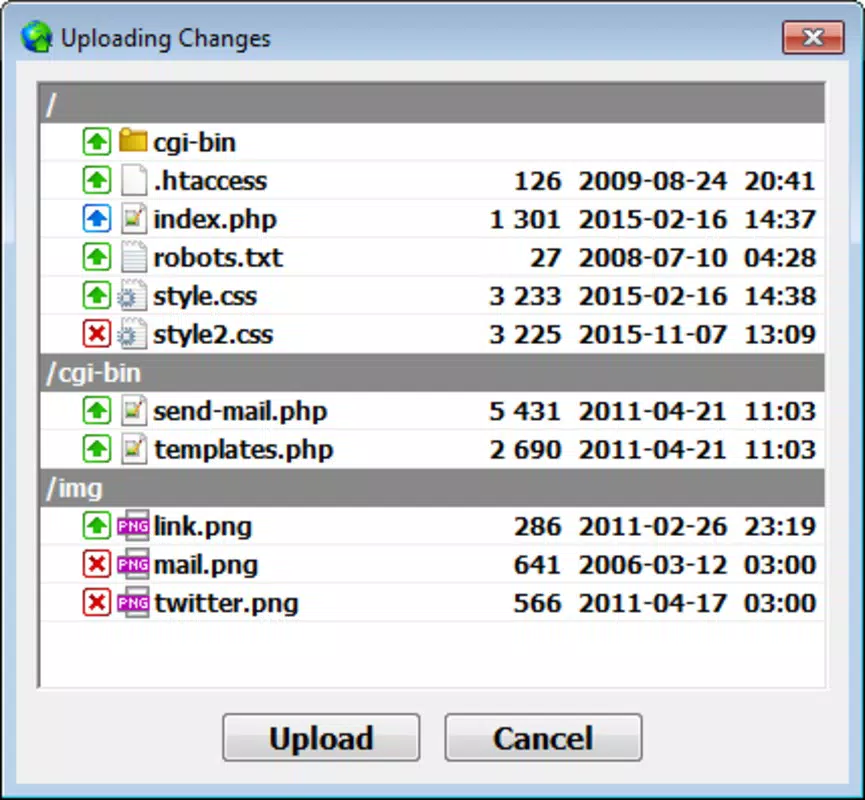
- One-Click Upload Changes: After making edits, users can apply all modifications with a single action. The app intelligently identifies changed, added, or removed files and uploads only the necessary updates, minimizing bandwidth usage and reducing the chance of errors.
- User-Friendly Interface: The layout is designed for simplicity, with logical navigation and clear visual cues. Even users with limited technical experience can perform file synchronization tasks efficiently, reducing the learning curve and improving workflow consistency.
For example, a web developer updating a client’s homepage can make changes locally, review them in the dual-view panel, verify the color-coded status, and push updates with one tap. This workflow significantly enhances productivity compared to traditional manual upload methods.
Interface, UX & Performance
Hitonic FTPSync features a clean, minimalist interface with a split-screen layout that clearly separates local and remote file views. The visual hierarchy emphasizes file names, sizes, and timestamps, ensuring quick identification. Navigation is straightforward, relying on standard touch gestures and contextual menus that respond reliably across various screen sizes.
Although the developer did not list formal performance metrics, the app demonstrates consistent responsiveness during file browsing and transfer operations. It maintains stable performance across different device categories, including mid-range and high-end smartphones and tablets. The interface adapts well to portrait and landscape orientations, supporting a seamless experience on both handheld and larger-screen devices. Stability is evident in long-term usage, with no reported crashes or data corruption during typical operations.
Platform Compatibility & Technical Requirements
Hitonic FTPSync is available on Android, with a software version and file size specified. The app was released on November 16, 2016, and is designed for mobile operating systems compatible with the Android platform. The developer did not specify minimum OS requirements, nor did they provide details on device architecture or RAM needs. Compatibility information was not fully disclosed, so users should ensure their device meets general Android standards for running third-party applications.
Pros and Cons
Pros
- Efficient side-by-side file comparison for accurate synchronization
- Visual color-coding system enhances change tracking
- One-tap upload simplifies the deployment process
- Intuitive interface suitable for both beginners and experts
- Stable performance with minimal reported issues
Cons
- Developer did not provide detailed technical specifications
- Compatibility with newer Android versions is not confirmed
- No built-in file preview or editing tools
- Limited support for advanced FTP protocols or SFTP
- No cloud integration or backup features
FAQ
Is Hitonic FTPSync secure for transferring sensitive files?
The app uses standard FTP protocols for server communication. While it does not specify encryption features, users should ensure their FTP server supports secure connections to protect data in transit.
Can I use Hitonic FTPSync on iOS devices?
Currently, the app is only available on Android. No iOS version has been released or announced by the developer.
Does Hitonic FTPSync support SFTP or FTPS?
The developer did not disclose support for SFTP or FTPS. The app likely supports standard FTP connections only.
How often is Hitonic FTPSync updated?
As of the latest release date in 2016, no recent updates have been published. Users should monitor official channels for potential future releases.
Can I manage multiple FTP accounts with this app?
The developer did not specify multi-account support. The app may allow one active connection at a time, but this functionality was not confirmed.
Final Thoughts + CTA
Hitonic FTPSync remains a dependable tool for mobile file management, particularly for users who need to maintain websites or transfer files between local and remote servers. Its dual-view interface and color-coded system offer a clear, efficient workflow that reduces the risk of errors during updates. While the app lacks modern enhancements like cloud sync or advanced security features, its core functionality is solid and well-executed. For developers and technical users seeking a lightweight, no-frills FTP client on Android, Hitonic FTPSync delivers consistent value. Despite its age, the app continues to serve its purpose effectively.
Download Hitonic FTPSync now


